Surface Pro 4
**User must enable in settings and have a Bluetooth button on pen.


The tablet that can replace your laptop.
Surface Pro 4 is ultrathin, fast, and versatile, the perfect
balance of portability and power. With 6th
generation Intel® Core™ processors and up to
512 GB of storage1 , it’s built to run professional-
grade software. And the PixelSense™
Display has stunning color and contrast that
comes to life with Pen and touch.
balance of portability and power. With 6th
generation Intel® Core™ processors and up to
512 GB of storage1 , it’s built to run professional-
grade software. And the PixelSense™
Display has stunning color and contrast that
comes to life with Pen and touch.


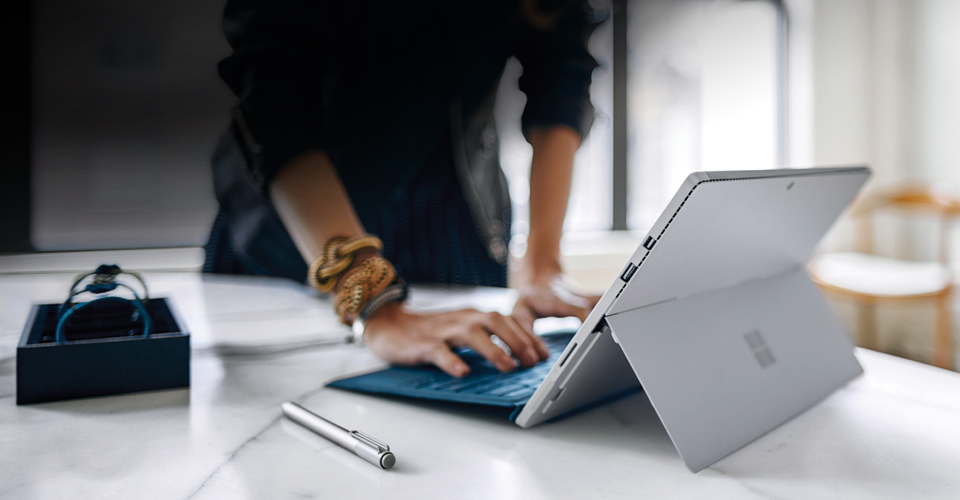
Incredibly versatile & ultrathin.
Surface Pro 4 is meticulously crafted to be a powerful, ultrathin laptop – or a beautiful tablet that can stand on its own. It’s perfect for business travel or a life that keeps you moving.
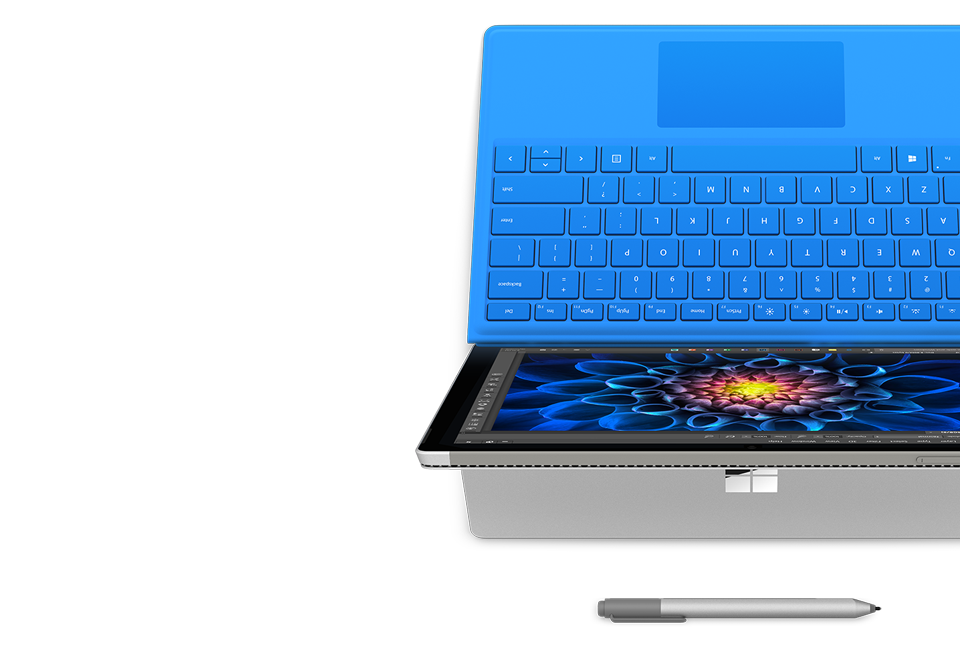
Full laptop-class keyboard.
The Surface Pro 4 Type Cover4 features perfectly spaced, backlit keys and a large trackpad that supports gestures and multi-touch.
A desktop, when you want it.
Simply connect your Surface Pro 4 to Surface Dock4 and use up to two high-resolution monitors, a full keyboard, mouse, and any other accessories.
Sitting, standing, or on your lap.
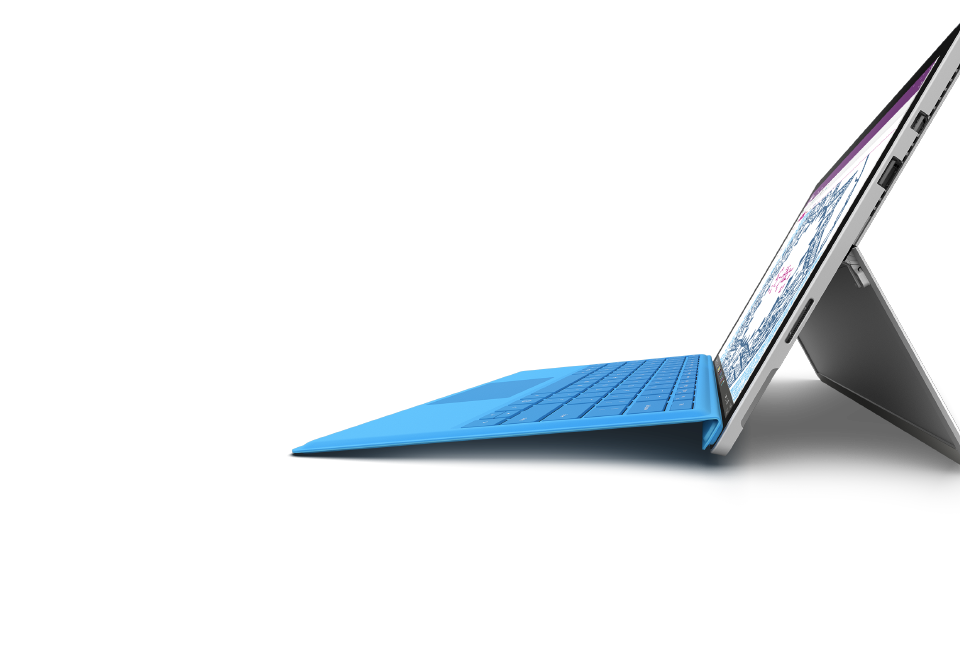
The built-in kickstand lets your screen rest at almost any angle – even while docked – so your Surface Pro 4 works great at your desk, on your lap, or when you’re on-the-go.
The Surface Pro 4 Type Cover4 features perfectly spaced, backlit keys and a large trackpad that supports gestures and multi-touch.
A desktop, when you want it.
Simply connect your Surface Pro 4 to Surface Dock4 and use up to two high-resolution monitors, a full keyboard, mouse, and any other accessories.
Sitting, standing, or on your lap.
The built-in kickstand lets your screen rest at almost any angle – even while docked – so your Surface Pro 4 works great at your desk, on your lap, or when you’re on-the-go.

Built with 6th generation Intel® Core™ processors.
Surface Pro 4 give you the power and performance you need with 6th generation Intel® Core™ processors. It’s light enough to take anywhere and powerful enough to do real work with professional-grade software.

Runs Windows, Office, & professional software.
Collaborate with your colleagues with the full power of the latest Microsoft Office Suite4 – including Outlook, Word, PowerPoint, Excel, and OneNote.
Always up-to-date security.
Windows comes with the most comprehensive security features that stay up-to-date, protecting you from viruses and malware.
Log-in with a smile.
Log-in to your Surface with enterprise-grade facial recognition technology that can remember multiple faces, giving each member of your family access to their own profile.
Handwritten notes, on your screen.
Easily organize your ideas with OneNote and Surface Pen, where you can search your handwritten notes or convert them to a text.
Windows comes with the most comprehensive security features that stay up-to-date, protecting you from viruses and malware.
Log-in with a smile.
Log-in to your Surface with enterprise-grade facial recognition technology that can remember multiple faces, giving each member of your family access to their own profile.
Handwritten notes, on your screen.
Easily organize your ideas with OneNote and Surface Pen, where you can search your handwritten notes or convert them to a text.
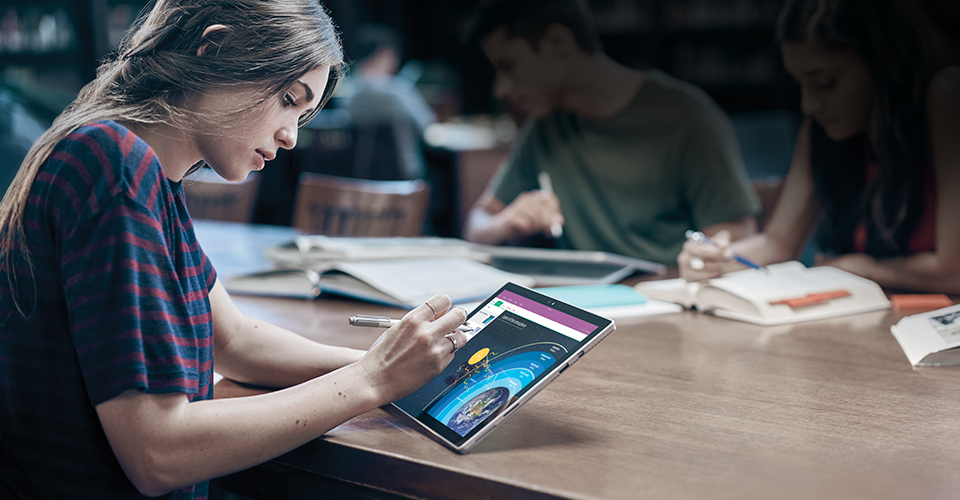
A stunning PixelSense™ Display with Pen & touch.
With stunning color rivaling real life, the 12.3” high-resolution PixelSense™ Display was made to be viewed, touched, and written on.

Windows Ink.
Quickly turn your thoughts into action in Windows Ink
workspace.You’re only a click away from the best inking
features on your Surface like sticky notes, a blank page for
sketching, or a quick screenshot that you can mark-up and
share.
Text that reads like a printed page.
Surface Pro 4 has striking contrast, giving you text that
reads like the printed page, making it easy to read all
day.
Sketch, write, & erase naturally.
Surface Pen has 1024 levels of pressure sensitivity
and an eraser on the other end. Just flip it around
and erase your Pen strokes like you
would with a regular pencil.
Quickly turn your thoughts into action in Windows Ink
workspace.You’re only a click away from the best inking
features on your Surface like sticky notes, a blank page for
sketching, or a quick screenshot that you can mark-up and
share.
Text that reads like a printed page.
Surface Pro 4 has striking contrast, giving you text that
reads like the printed page, making it easy to read all
day.
Sketch, write, & erase naturally.
Surface Pen has 1024 levels of pressure sensitivity
and an eraser on the other end. Just flip it around
and erase your Pen strokes like you
would with a regular pencil.

FAQs

 Will my iPhone work well with Surface?
Don’t worry, your iPhone and Surface will get along really well. If you use iCloud to back up your photos and other content, iCloud for Windows will make that content available to Surface.
If you’ve been manually syncing your iPhone with your Mac via iTunes, you can do the same with Microsoft Surface. Simply download iTunes to your Surface, plug your iPhone’s sync cable into the USB port of Surface, and follow the on-screen instructions.
If you’ve been manually syncing your iPhone with your Mac via iTunes, you can do the same with Microsoft Surface. Simply download iTunes to your Surface, plug your iPhone’s sync cable into the USB port of Surface, and follow the on-screen instructions.
How do I move my files files from Mac to Surface?
You might have photos, mail, and other information that’s already stored in the cloud. You’ll be able to access all those cloud apps and services easily from your Microsoft Surface. For files that aren’t in the cloud, or for files you just want to back up on your Surface, we recommend transferring your content with a USB-based external hard drive (USB 3.0 will be fastest). You’ll want to purchase and/or use an external hard drive that lists compatibility with both Mac and Windows.
What operating system does Surface Pro 4 run?
Surface Pro 4 runs full Windows 10 Pro. This means you can run your favorite programs, apps, and browsers including the full Microsoft Office Suite, iTunes, Netflix, Chrome, Firefox and much more. Everything you can run on your laptop, you can run on Surface Pro 4 – including all professional-grade software you need for work.
What is Windows 10 Pro?
Windows 10 Pro is the next generation Windows operating system that works great with pen, touch, mouse, & keyboard. It’s everything you love about Windows including the Desktop interface.
I’ve heard Windows 10 is for touchscreens. Can I still use a mouse and keyboard?
Yes. You can use it the way you want: touchscreen, mouse and keyboard, or both. You’ll also still be able to work with the familiar desktop just as you did in earlier versions of Windows.
Can I use my current software and printers?
Windows 10 Pro is compatible with almost all of the peripherals (printers, cameras, keyboards, mice, etc.) that you’re using today with your Windows PC or tablet. You can also use most of the desktop programs you currently use, including Office programs. Find more compatibility information on the Windows Compatibility website.
Did the desktop disappear?
No. You’ll still be able to work with the familiar desktop just as you did in earlier versions of Windows. If you’re in the Start screen, simply press the Windows logo key + D on your keyboard. If you spend most of your time on the desktop, you can even set Windows to go there instead of the Start screen when you first turn on your Surface.
Do you have the apps I want?
Today we have over 100,000 apps in the Windows Store, including top apps for Windows like Hulu, Netflix, and Twitter—and we’re adding more every day. Don’t find what you’re looking for in the Windows Store? You can also download almost any Windows software on the Internet and install it, just like you would on your laptop.
Does Surface Pro 4 come with Office?
Surface Pro 4 comes with an Office 30-day trial.
Can I run multiple programs at the same time?
Your Surface Pro 4 allows you to run up to two apps side by side on a screen at a time. You can schedule meetings on your calendar while you respond to email, or edit your PowerPoint deck while you listen to music. You can also of course run any number of programs simultaneously like Outlook, iTunes, and Office – all at the same time.
How can I secure my personal info and documents while sharing my device with my family members ?
Windows 10 Pro allows you to create multiple user accounts so that you can share your device easily with customized settings for each user. Your Surface Pro 4 and your personal info will be more secure; you’ll be able to see your—not everyone’s—favorite things when you sign in, and you can protect important documents and files from being erased or changed by someone else. With Windows Hello your Surface Pro 4 will recognize you and unlock without a password.
Does Cortana work on my Surface Pro 4?
Yes, Cortana is one of the great new features of Windows 10. It’s your personal assistant built into Windows. Click and hold the top of Surface Pen to activate Cortana. *Cortana available in select global markets at launch. Cortana experience may vary by region and device.
Can I use Windows Hello on my Surface Pro 4?
Windows Hello is a brand new way to experience your Surface Pro 4. It uses new innovative camera technology built into your Surface Pro 4 to recognize you when you want to use your Surface Pro 4. Your Surface will unlock automatically when it sees you.
What is so great about Windows Hello?
Sometimes even a password can be a hassle. Windows Hello is a safer and more secure way to unlock your Surface Pro 4 using the special camera technology built into your Surface.
How can I add more storage space to my Surface Pro 4?
Surface Pro 4 comes in three different storage options: 128GB, 256GB, and 512GB. If you need additional space you can use the microSD™ card reader and add up to 128GB with a microSD card or use the USB port to connect thumb drives and external hard drives.
Does the Surface Pen that works with Surface Pro 4 work with other Surface devices?
Yes. With Palm Block technology and 1024 levels of pressure sensitivity, Surface Pen gives you a surprisingly natural way to mark-up documents and take notes in your own handwriting.
What are some apps that work with Pen on Surface Pro 4?
A click of the Surface Pen will bring up a blank OneNote page instantly – whether the device is in sleep mode or locked. Your notes are saved as you write to the hard drive or to OneDrive. Surface Pen also works with Office so you can write directly in your Word documents, PowerPoint, or even handwrite an email in Outlook. You can even highlight Kindle eBooks as you read in the pre-installed Kindle program or sign your electronic documents directly on screen.
What is Surface Pro 4 made of?
The casing of Surface Pro 4 is made out of a magnesium alloy which is lighter and more durable than aluminum.
Can I use the Surface Pro 3 Power Supply to charge Surface Pro 4?
Yes, the Surface Pro 3 Power Supply will charge Surface Pro 4 through the Surface Connect port.
What comes in-box when purchasing a device?
Customers who purchase Surface Pro 4 will also get a power supply, Surface Pen, Quick Start Guide and safety and warranty documents.
What's the battery life of my Surface Pro 4?
Surface Pro 4 has up to 9 hours of video playback. *Up to 9 hours of video playback. Testing conducted by Microsoft in September 2015 using preproduction Intel® CoreTM i5, 256GB, 8 GB RAM device. Testing consisted of full battery discharge during video playback. All settings were default except: Wi-Fi was associated with a network. Battery life varies significantly with settings, usage, and other factors.
What happens to everything I have in iCloud?
Don’t worry, you can keep using iCloud with your Surface.
You might also want to consider using OneDrive to back up your iPhone photos and sync them (and your documents) between your iPhone and other devices.
OneDrive comes with 15GB of free storage and works on PCs, Macs, tablets, and mobile phones.
You might also want to consider using OneDrive to back up your iPhone photos and sync them (and your documents) between your iPhone and other devices.
OneDrive comes with 15GB of free storage and works on PCs, Macs, tablets, and mobile phones.
1 System software uses significant storage space. Available storage is subject to change based on system software updates and apps usage. 1GB= 1 billion bytes. See surface.com/storage for more details.
2 Up to 12 hours of video playback. Testing conducted by Microsoft in September 2015 using preproduction Intel® CoreTM i5, 256GB, 8 GB RAM device. Testing consisted of full battery discharge during video playback. All settings were default except: Wi-Fi was associated with a network and Auto-Brightness disabled. Battery life varies significantly with settings, usage, and other factors.
3 Eligible on all Office products except Office 365 University.
4 Sold separately.
5 Cortana available in select global markets. Cortana experience may vary by region and device.
2 Up to 12 hours of video playback. Testing conducted by Microsoft in September 2015 using preproduction Intel® CoreTM i5, 256GB, 8 GB RAM device. Testing consisted of full battery discharge during video playback. All settings were default except: Wi-Fi was associated with a network and Auto-Brightness disabled. Battery life varies significantly with settings, usage, and other factors.
3 Eligible on all Office products except Office 365 University.
4 Sold separately.
5 Cortana available in select global markets. Cortana experience may vary by region and device.
